Billing Statement for Invoice Tracking

Billing Statement
I created this a billing statement template specifically for tracking invoices. It's designed using the same theme as my other invoice and purchase order templates. If you have less than 20 or so customers or tenants, you can keep track of the billing statements by having a separate billing statement worksheet for each customer in a single workbook. It can also double as an accounts receivable ledger.

Expense Tracking and Budget Tracking

Expense Tracking Template
Based on a request from a user, I created this expense tracker, which lets you record transactions and allocate the charges into specific expense categories which you define. Each category is a different column, and you can copy/insert new columns as needed without too much trouble. The template includes a budget tracking chart to compare your budget to how much has been spent so far in each category. This was originally designed to keep track of home remodeling projects, but has many other uses, as well.

Weight Loss Chart Template

Weight Loss Chart
To go along with my recent Exercise and Fitness theme, I've created a new weight loss chart template for Excel, as well as a few printable weight loss logs and charts in PDF format that you can download, print, and keep handy right next to your scale (at least that's what I'm doing). I've got more Exercise Charts coming ... stay tuned.

Vertex42 Templates in Office Online

Today, Vertex42 was announced as the newest partner of Office Online Templates. I submitted 8 different financial calculators for inclusion in their template gallery, which you can get to by clicking on the image below.


The original templates can still be downloaded from the following pages:
  1. Home Mortgage Calculator

  2. Auto Loan Calculator

  3. 401k Calculator

  4. Savings Calculator

  5. Credit Card Payoff Calculator

  6. Mortgage Payment Calculator

  7. Home Equity Calculator

  8. Simple Loan Calculator

Shopping and Grocery List

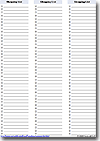
Although most people could create their own Grocery List template in a matter of minutes, I spent a few hours trying to come up with a template that was highly functional and useful. I ended up creating two different types of lists, (1) a blank Shopping List that could be used for any type of store (including groceries), and (2) a Grocery List that includes categories with some commonly purchased items for reminders.

Grocery List

Interest-Only Mortgage Loan Calculator

Interest-Only MortgageBy request, I created a new loan calculator specifically for fixed-rate interest-only mortgage loans. It is based on my amortization schedule template, but allows you to enter the IO period in years and make extra payments during that time. At the end of the IO period, the loan is amortized using the current balance and number of years remaining.

Ideal Weight Chart

Ideal Weight ChartI've added a new spreadsheet that includes a table, chart, and calculator for estimating your ideal weight. The Ideal Weight Chart uses the BMI, Devine, Robinson, and Miller formulas - all on the same graph - so it is fairly easy to compare them.

The chart uses a special trick for creating the shading that highlights the overweight, normal, and underweight regions based on the BMI (body mass index). The shaded regions are created using a stacked area chart, but because I wanted the gridlines on TOP of the areas, I made two different charts, superimposed over each other, with the area chart on the bottom. The top graph has the backgrounds turned off so that the colors from the area chart show through. (This technique was also described in a comment on this site). I don't really like having to use this approach, but other than creating a bunch of dummy series to use as the gridlines, I don't know of another approach.

Update (2/12/09): Excel Charts expert and MVP Jon Peltier gave me a great suggestion - to make the gridlines using error bars with a dummy series. Now why didn't I think of that?

Update (2/13/09): Created a BMI Chart using the same chart techniques as for the ideal weight charts.

Daily Planner

Daily PlannerI created a new Printable Daily Planner that lets you print a letter-size planner page that will fit common 3-ring binders. There are no macros and it doesn't tie in to a database, so if you're looking for an electronic planner - something similar to the way Outlook works - this daily planner is probably not for you. However, you CAN enter yearly events like birthdays and holidays and it will automatically add them to the planner.

I've been toying with the idea of creating planner pages for some of the smaller size daily planners, but it's easier (and can even be cheaper) to just buy the refill planner pages available at office supply stores.

Financial Statements

I just finished creating 3 new financial statement templates - designed mainly for small business owners.

These should also work in OpenOffice and Google Spreadsheets.

Daily Food Log Template

Food LogThis new template is for recording what you eat and how much water you drink each day. Today was my first official day to use the food log, and I was surprised to find out that my typical bowl of Honey Nut Cheerios is actually 550 calories. I looked at the other cereal boxes that we have, and it appears as if the manufacturers just change the serving size so that every serving comes to about 110-120 calories. Interesting trick.

The most useful thing for me is keeping track of how much water I drink. I've definitely found a correlation between that and my headaches, and until today, I've never really known how much water I drink each day. I discuss water intake in more detail on the food log download page. I'm definitely falling short of the recommended amount, even though I thought I was drinking plenty.

I need to find a good source for information about the amount of calories in foods that aren't packaged with Nutrition Fact info (like meats, vegetables, etc).

Home Inventory Spreadsheet

Today I created a new home inventory spreadsheet template that works with both Excel and Google Spreadsheets. The template is not in the Google Docs gallery, but it can be downloaded from my website and then uploaded to Google Docs. It is a pretty basic spreadsheet, but hopefully if you're reading this, it will be a reminder for you to complete your inventory, or update it.

I'm not sure whether I'd want to store all my inventory information in Google Docs or not (it being online and all), and I would certainly advise against sharing/publishing your document. :) But, I guess storing the inventory spreadsheet in Google Docs IS one way of protecting your inventory from a home fire.

New Templates for Google Spreadsheets

Google™ launched their new Google Docs Template Gallery today. The gallery contains over 100 spreadsheet templates, some of which were contributed by Vertex42 and TemplateZone.

Check out the official announcement, "Templates bring Docs to life" on the Google Docs Blog.

These templates are a great resource for Google Docs users. If you are familiar with Excel and Google Spreadsheets, you may realize that not all Excel files can be uploaded as a Google Spreadsheet exactly as-is. I have been working on redesigning many of the Vertex42 templates to make them available to Google Docs users. And now, with their new template gallery, Google has made it extremely easy to search for and create new files from existing templates. Bravo!

Enjoy,
Jon Wittwer
Vertex42.com

Weekly Timecard Template

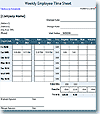
This timecard template is different than the other timesheet templates at Vertex42.com. Instead of just listing the hours worked each day, it lets you break down your hours by project. The hours are totaled by project and by day.

This template was designed to work with Google Spreadsheets and OpenOffice Calc.

New Timesheets

I created two new timesheets:

Timesheet with Breaks
1. The original Excel Timesheet Template was updated to include a biweekly version in a separate worksheet.


Timesheet
2. The new Simple Timesheet lets you just specify the number of hours for each day of the week (includes a biweekly version, also). It lets you specify a different rate for regular, overtime, vacation, holiday, unpaid leave, sick leave, etc.


These templates were designed to also work with Google Spreadsheets and OpenOffice Calc.

4 New Budget Spreadsheets

We've added 4 new budget spreadsheets to Vertex42.com. Two of them are yearly budget planners and two are monthly budget worksheets.

Personal Budget - Yearly Planner
Family Budget - Yearly Planner
Monthly Budget - Family
Monthly Budget - Personal

Also, check out the article "How to Make a Budget" which explains how to use these spreadsheets to set up your initial budget. The follow-up article "How to Budget" explains 5 budgeting tips for how to stick to your plan.

Excel Checkbook Register Template

CheckbookThis checkbook template uses a formula for the balance that makes it very easy to add or remove transactions from the checkbook register. It also includes a column for recording an expense category. Although it doesn't let you include more than one category per row, you can split a transaction into multiple rows in order to specify different expense categories for a single transaction.

If you have multiple accounts, copy the checkbook worksheet and name the worksheet tabs "Savings", "Checking", "CrCard", etc.

Employee Shift Schedule

Shift ScheduleThis new Shift Schedule template was designed for small businesses, such as a fast food restaurant. It is highly customizable, and was also designed to work in Google Spreadsheets and OpenOffice.org.

Savings Interest Calculator

Savings CalculatorI just created a new Savings Calculator that estimates the interest earned in a savings account over time. It lets you include monthly and annual deposits, graphs your balance vs. investment, and creates an amortization table showing the interest earned each year.

401(k) Savings Calculator

401k CalculatorThe new 401k Calculator let's you estimate your future 401(k) balance at retirement. It is very simple to use and let's you include your employer match, annual raise. Perhaps the most unique feature of this spreadsheet is that it let's you specify a random rate of return so you can see how fluctuations in the market might affect your balance.

It also includes a worksheet that calculators Internal Rate of Return (IRR). It can be used to track your 401(k) over time. Any additional suggestions for this worksheet are welcome.

New Years Resolution Checklist

Resolution ChecklistI just finished creating a New Year's Resolution Calendar for Excel that fits a whole year on a single page. It is designed to be used as a checklist for your top three daily goals, but it is pretty easy to modify to add or remove rows.

Wedding Budget Template

Wedding BudgetWe created a fairly comprehensive Wedding Budget Template that groups items into major categories. The workbook also has a weddin budget estimator worksheet in which you can specify an allowable budget and allocate the amount available to various categories by specifying the percentage to go to each category.


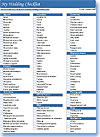
Wedding ChecklistTo go along with the budget worksheet, we created a printable Wedding Checklist that you can print out and mark off as you go.

Gas Mileage Calculator and Mileage Log

Mileage Log A while back, my car went the way of all cars in the 200,000 miles range. I decided to replace it with one that got a much better gas mileage, so I went with one that was supposed to get 28-32 MPG. I began tracking my mileage to make sure it was living up to its potential. I found out that I have a hard time dividing 287 miles by 10.123 gallons in my head. This is what prompted me to create this printable mileage log and the mileage calculator spreadsheet.

I did an experiment in June because I was typically only getting about 27 MPG. I tend to accelerate too much, so I went a whole tank driving very carefully. I included a mileage chart that shows the peak in my mileage during June. So, it really IS possible to increase your gas mileage by just driving more carefully. You will also notice that I couldn't keep it up. It was a very difficult experiment.

Weekly Calendar Template

Weekly Calendar I'm not sure why I waited until now to create a weekly calendar. But, alas, here it is. The spreadsheet is pretty easy to use, as long as the changes are not too drastic. The worksheet with all the fancy formulas is hidden.

Debt Reduction

Debt Reduction
This new Debt Reduction Calculator / Debt Snowball Calculator can be used to help plan how to pay off all of your credit card balances, auto loans, student loans, personal loans, consumer loans, etc.

You first list all of your debts, then choose a total monthly payment, and as you pay off your debts, the payment is rolled over to help pay for your next one.

You can choose from a few different strategies, such as debt snowball (lowest balance first) or highest-interest-first, or you can choose the exact order you want to pay off your debts.

The download page includes additional information on the different strategies.

Home Mortgage Calculator

Home Mortgage This new home mortgage calculator spreadsheet can be used for adjustable-rate (ARM) mortgages or fixed-rate mortgages. It can also be used to calculate the interest savings when making extra payments, and calculates tax returned based on the tax bracket you enter. As you pay down your loan, you pay less interest, and therefore the tax deduction decreases. Also, there is a big difference between the way a fixed-rate mortgage works vs. an variable-rate mortgage when making extra payments.

Credit Card Payoff Calculator

Credit Card Payoff CalculatorThis is a fairly simple calculator, that lets you figure out how long it will take to pay off a credit card balance based on a particular monthly payment. Or, if you specify when you want to have it paid off, it will calculate what the monthly payment needs to be.

Home Equity Loan Calculator

Home Equity Calculator
I definitely do not advocate taking out a second mortgage if at all possible. In my opinion, it's best to stay out of debt. However, there are those times when needs come up and you have to consider your options, and a home equity loan or second mortgage often provides the lowest interest rates compared to other options.

This collection of home equity calculators, bundled in a single Excel workbook, can be used to help answer some of the following questions:

1. How much can I borrow if I already have a mortgage and other loans?
2. What will my monthly payment be for a fixed-rate home equity loan?
3. How much can I save in interest if I make extra payments?
4. How long will it take to pay off my loan(s)?
5. Could I end up owing more than my home is worth if the value of my home drops?
6. What are the tax deductions from paying interest on my mortgage (if applicable)?

If you are trying to decide between a Home Equity Loan and a Home Equity Line of Credit, make sure you read this article.

Canadian Mortgage Calculators

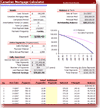
Canadian MortgageIn the midst of creating a bunch of Excel templates for mortgages and loans, I found out that Canadian mortgage calculations are different than in the US. So, I created a spreadsheet specifically for Canada mortgages.

One of the main differences is that a given mortgage rate is assumed to be compounded semi-annually. US mortgages are usually compounded monthly. I have verified the spreadsheet with a number of online Canadian mortgage calculators, and it checks out. But, I must admit, it is easy to get confused about "annual interest rates" and "effective annual interest rates" and "APR" and all of that.

It turns out that this calculator is much more general now (it can be used for both Canadian and US mortgage calculations). One of the things it doesn't do exactly is "accelerated bi-weekly" payments, but you can estimate this by choose the monthly option, and making monthly prepayments equal to the monthly payment divided by 12.

One of the nice things about making and using calculators in Excel (as opposed to online calculators) is that you can see exactly what the formulas are. So if you are just curious, or want to make sure that the calculations are correct, go ahead and check them out.

Auto Loan Calculator

Auto Loan CalculatorThis new auto loan calculator is a cross between my original loan amortization schedule template and the types of online calculators that you see for auto loans. It consists of three worksheets. The first one provides a break-down of the cost of purchasing a car and calculates the amount that you plan to finance. The second worksheet creates an amortization schedule, allowing extra payments. The third worksheet provides some tables and graphs for comparing different loans.

School Calendar Templates

School Year CalendarDownload a collection of free school calendar Excel templates, including monthly calendars, school-year calendars, and event calendars. The screenshot on the left is an example of just one of them. Some of the templates work for any school year, and the monthly calendars are available for 2007-2008, 2008-2009, 2009-2010, and 2010-2011.