Showing posts with label Project Management. Show all posts

4 New Task List Templates

Project Task List Thumbnail
These 4 new task list templates demonstrate various techniques that you can use to spice up your lists in Excel. Add drop-down lists, custom icon sets, conditional formatting rules, etc. The Project Task List Template shown to the left is just one of them.

Project Budgeting Templates

Just added 3 new Project Budgeting Templates. One was created based on my gantt chart template and uses a WBS (work breakdown structure) layout. The others were based on the business budget template and personal budget spreadsheet. Hopefully, there will be something that can be used for nearly any project.

Project Tracker for Excel

Project Tracker
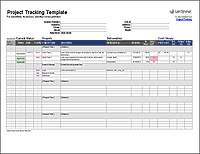
If you are a contractor or freelancer, you can use this Project Tracking Template to record all of the individual tasks and deliverables that have been assigned to you by a specific client. It is particularly useful when the client assigns new tasks frequently, and you want a way to keep track of the new and completed tasks.

Critical Path Method and PERT

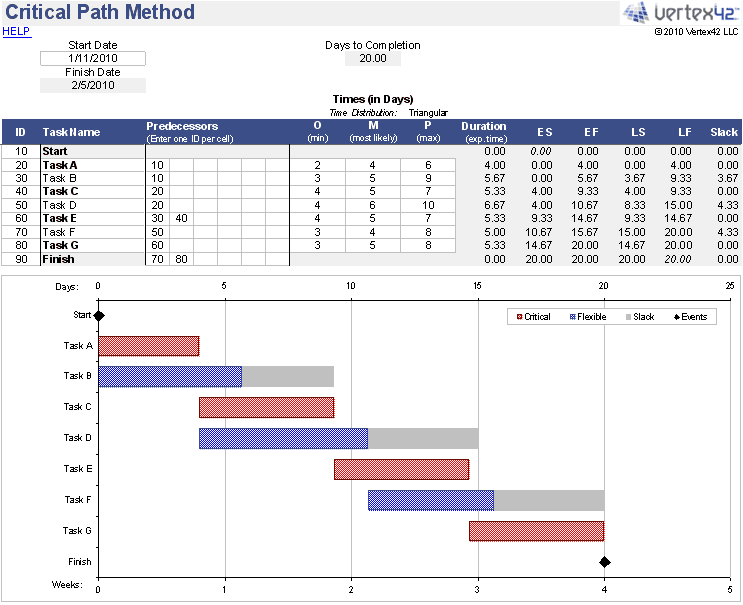
Critical Path Method This Critical Path Method spreadsheet implements the PERT algorithm for analyzing the durations and dependencies of project tasks. This is a handy tool for project management.

Simple Gantt Chart Spreadsheet

Gantt ChartThis spreadsheet uses conditional formatting to create a Gantt chart in Excel. The inputs for the tasks or milestones are the start date, the duration (in calendar years), and the percent complete. It can be used for quickly creating project timelines and schedules. Just right if you don't quite need the complexity of Microsoft Project.